
Adidas Configure ID
Customized uniforms for sports teams.
My Role: UI Design, Style Guide
Development Team: 5+ people
Adidas Configure ID digital platform empowers users to personalize their footwear with a seamless customization experience.
As the UI designer, I collaborated closely with the Adidas team to craft an intuitive interface that highlights creativity and performance. Our goal was to create a clean, responsive, and intuitive design that aligns with Adidas’ bold brand identity and makes the product customization process effortless and engaging.
The result is a dynamic, user-friendly experience that makes self-expression a core part of the shopping process.
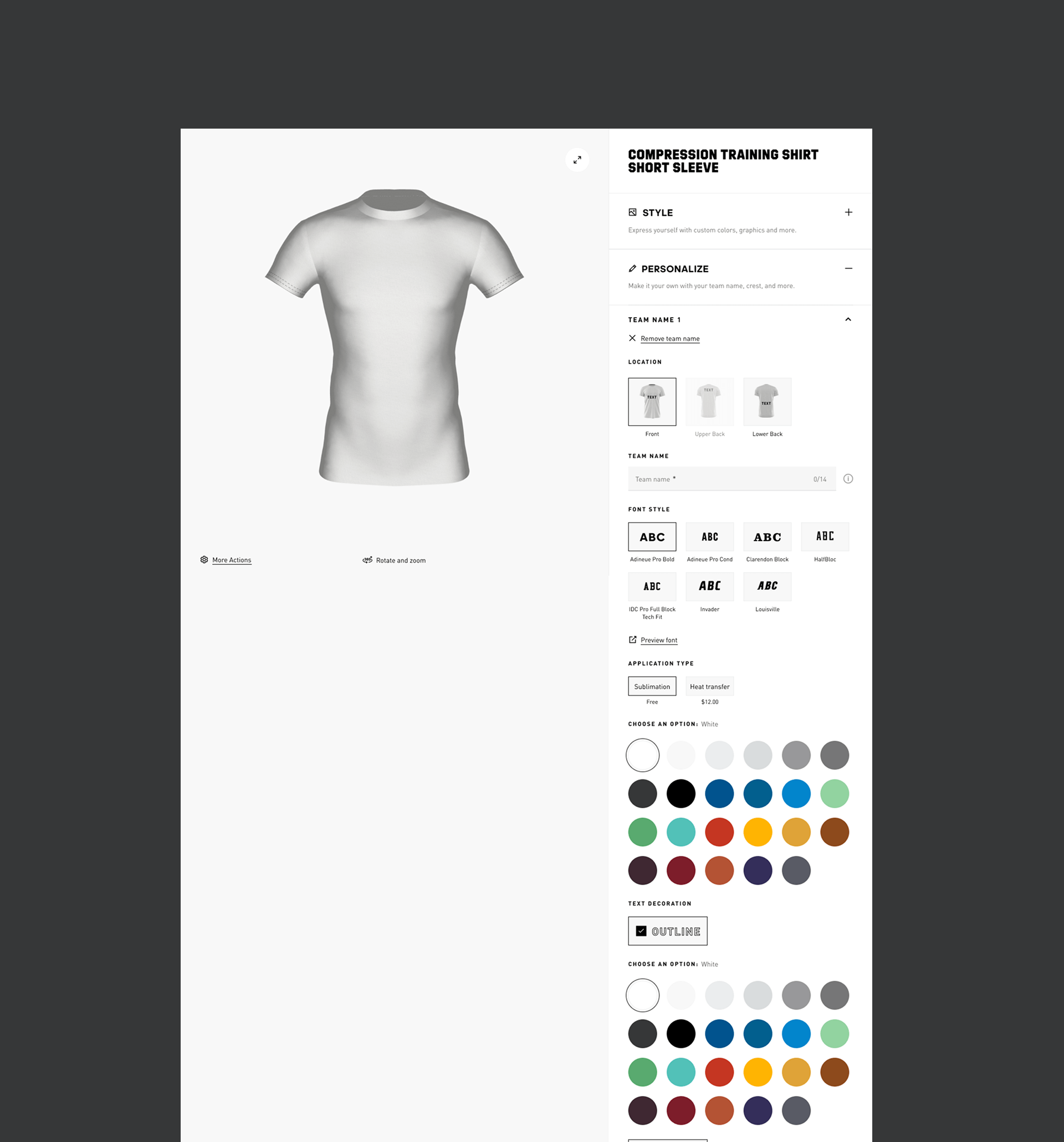
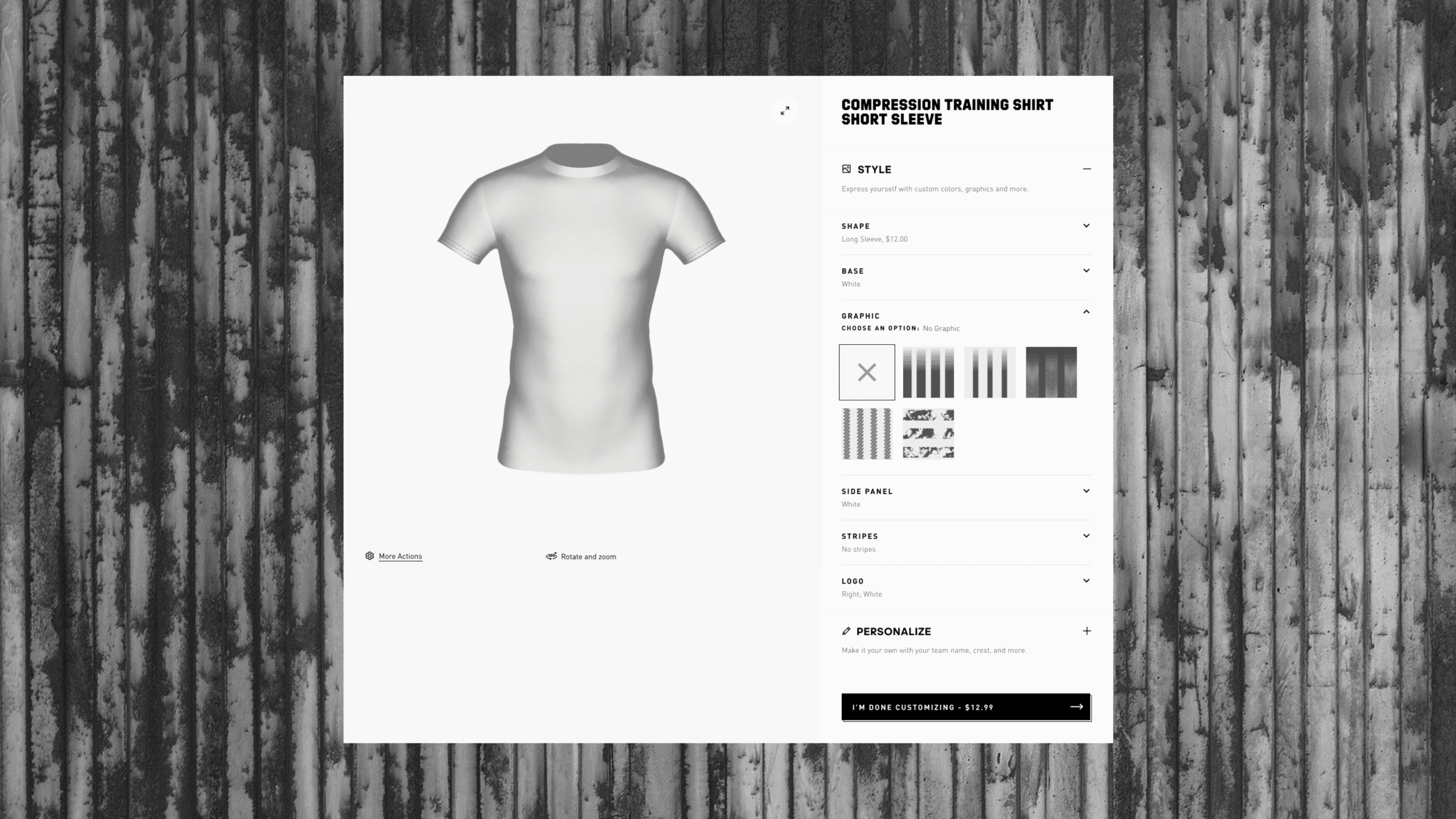
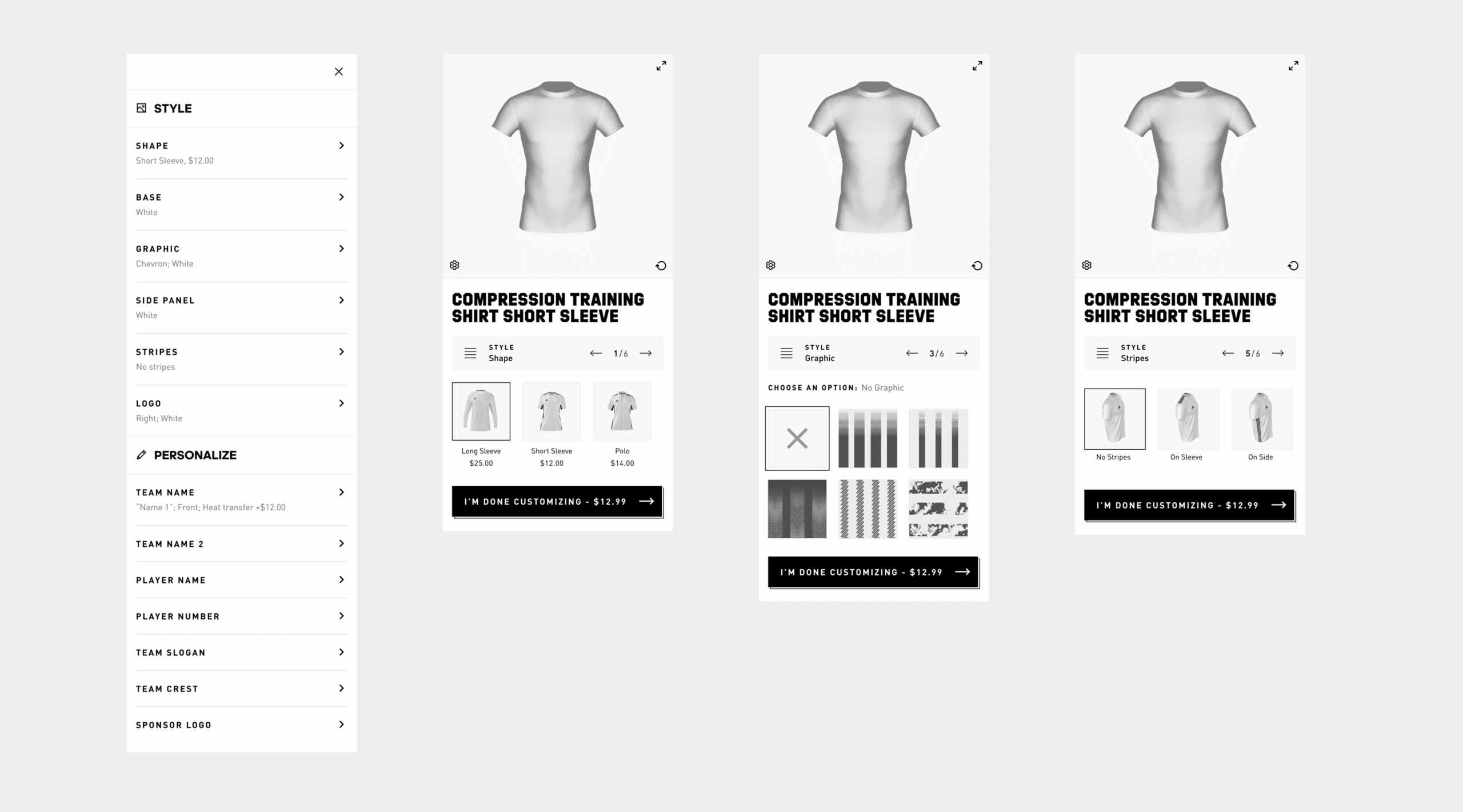

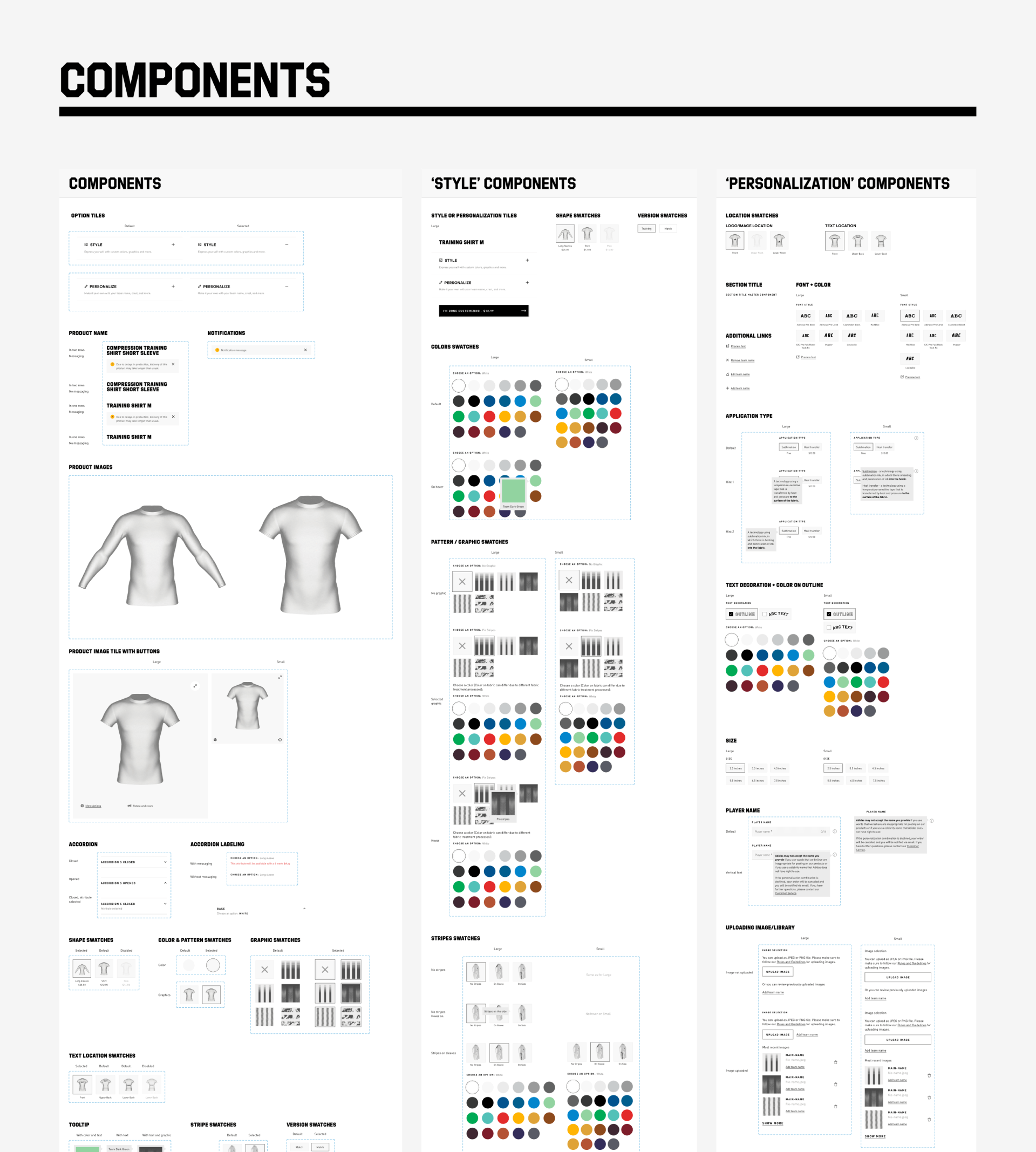
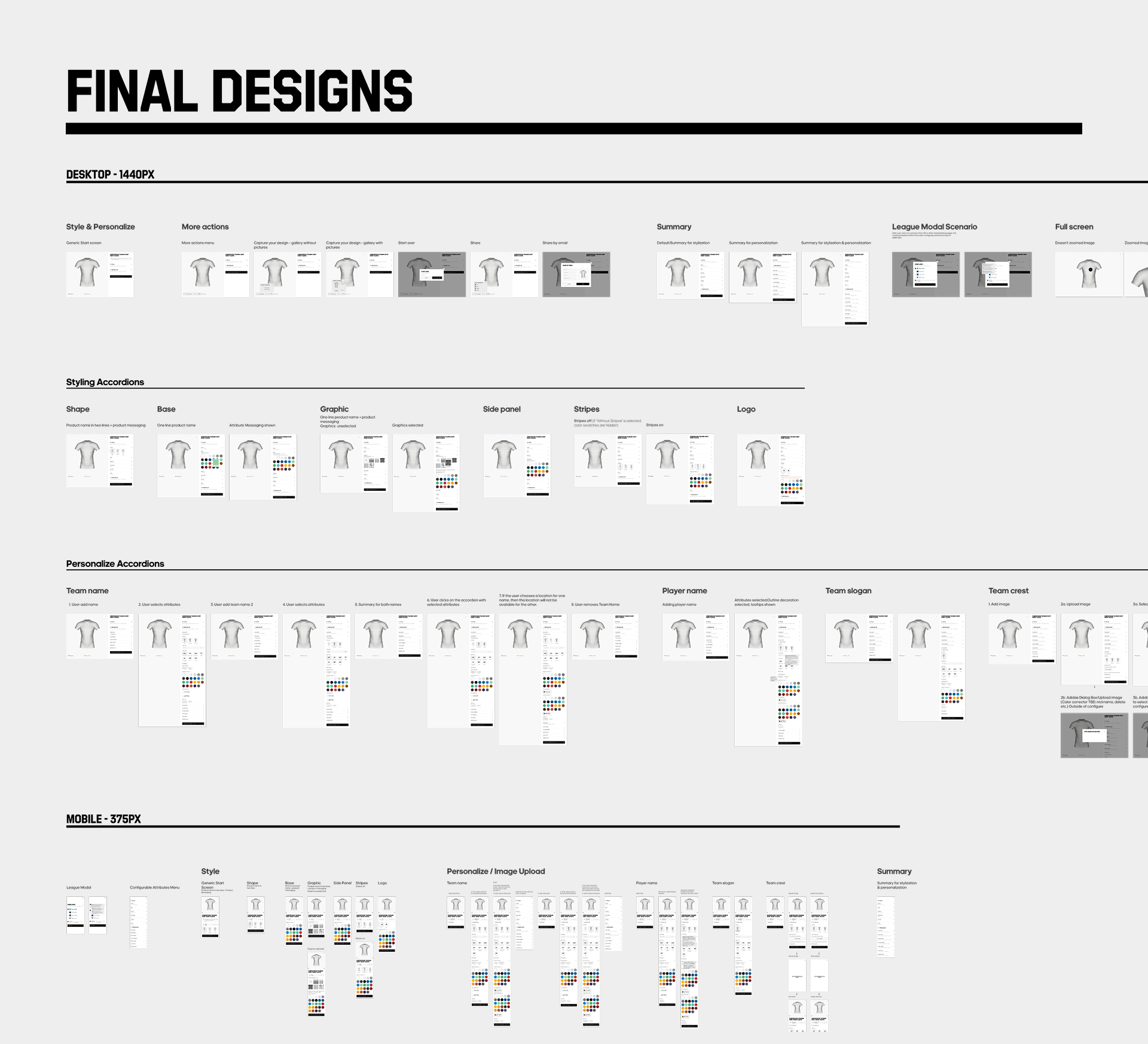
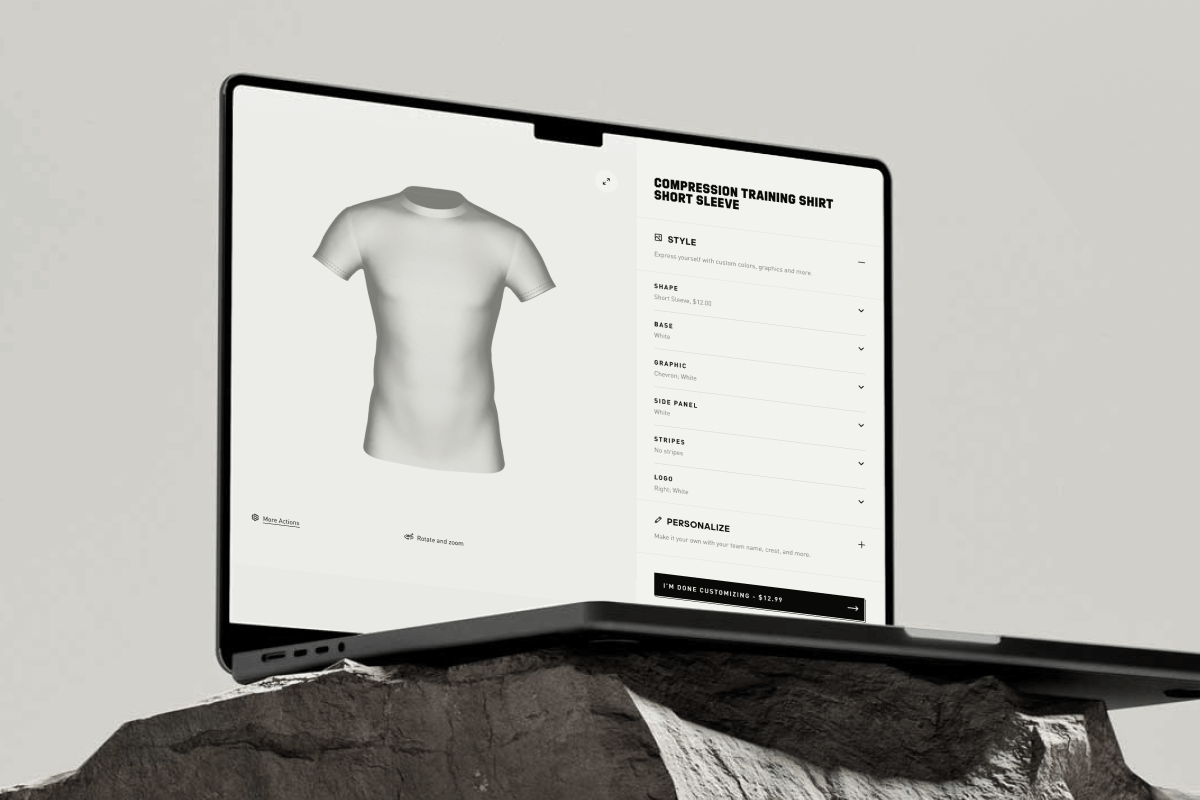
In this case study, we explored the Adidas Configure ID platform a powerful product customization tool enabling users to personalize team apparel such as t-shirts, jerseys, and other gear through color selection, logos, text, patterns, and styling. My role as UI Designer focused on crafting a clear, functional, and visually consistent interface that works seamlessly across mobile and desktop environments.
Project goals & challenges
Empower users to personalize team uniforms with intuitive controls and visual feedback.
- Bridge complexity and clarity - present numerous options (colors, fonts, images) in an accessible, engaging way.
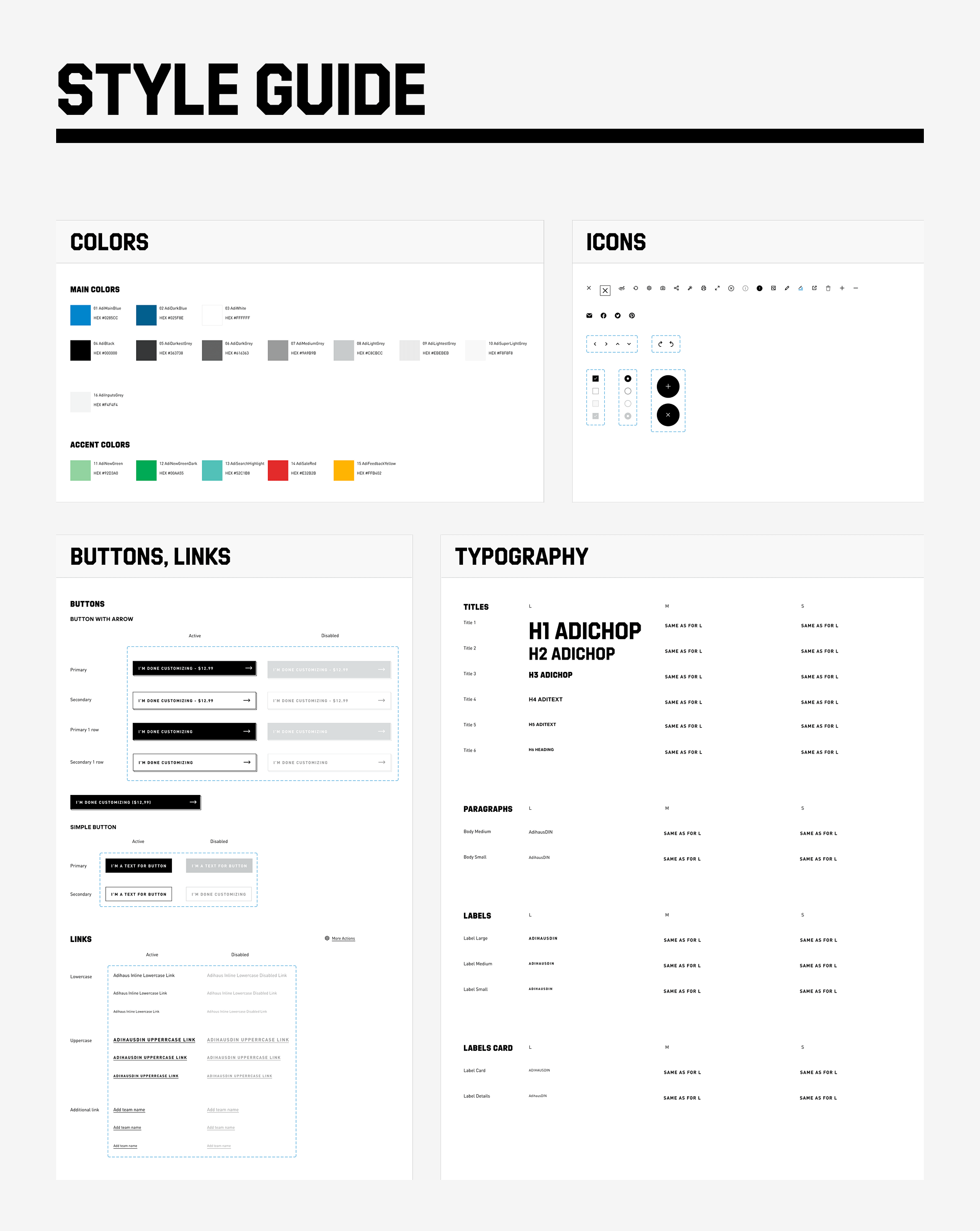
- Ensure visual consistency, from style guide assets (colors, icons, typography) to full component workflows.
Design process
Discovery & research. I started by looking at competitors and similar customization platforms to understand expectations, usability patterns, and what users would need most from a tool like this.
User journey mapping. Then I mapped the key steps of the experience - from choosing a product to customizing it with colors, logos, and text, all the way to preview and checkout.
Wireframes & prototypes. I created low-fidelity screens for both mobile and desktop to define the flow. At this stage, I tested interactive elements like swatch selection, logo placement, and live preview updates.
Visual design & style guide. Once the flow was clear, I moved into visual design. I defined the color palette, typography, icons, and button styles to stay consistent with Adidas branding. I also built reusable UI components for things like color swatches, upload buttons, and toggle menus.
High-fidelity designs. With the system in place, I prepared polished desktop and mobile mockups that showed the full customization journey, along with all design states and interactions.
Final delivery. I wrapped up the project by preparing a complete style guide and all design assets, making sure the development team had everything they needed to bring the configurator to life.
Final thoughts
Working on the Adidas Configure ID platform gave me the chance to combine UI design, product customization, and brand consistency in one project. The main challenge was to make a powerful tool - capable of handling colors, logos, and patterns - feel simple and intuitive for any user. By focusing on clear structure, responsive layouts, and a reusable design system, I delivered an experience that made personalization both engaging and effortless.
This project reinforced my approach of designing with scalability and usability in mind. Whether it’s for global brands like Adidas or smaller e-commerce platforms, my goal is always the same: create interfaces that are clear, memorable, and built to drive real user engagement.
If you’d like to discuss a potential UI/UX project or explore how thoughtful design can transform your digital product, feel free to get in touch.
Let’s collaborate
Copyright © 2025 Pavlo Plakhotia